
Watch this:
Add this to your stylesheet:
.schema-faq-accordion .schema-faq-section {
    border: 1px solid #d1dfee;
    margin-bottom: 20px;
    background-color: #fdfeff;
}
.schema-faq-accordion .schema-faq-question {
font-size: 14px;
font-weight: bold;
margin: 0;
padding: 17px 56px 17px 12px;
line-height: 1.4;
cursor: pointer;
position: relative;
-webkit-touch-callout: none;
-webkit-user-select: none;
-khtml-user-select: none;
-moz-user-select: none;
-ms-user-select: none;
user-select: none;
display: block;
}
.schema-faq-accordion .schema-faq-question.faq-q-open {
border-bottom: 1px solid #d1dfee;
}
.schema-faq-accordion .schema-faq-question:after {
    content: "+";
    position: absolute;
    top: 50%;
    right: 0;
    width: 56px;
    text-align: center;
    -webkit-transform: translateY(-50%);
    -moz-transform: translateY(-50%);
    -ms-transform: translateY(-50%);
    transform: translateY(-50%);
    font-weight: bold;
    color: #000;
    font-size: 20px;
}
.schema-faq-accordion .schema-faq-question.faq-q-open:after {
    content: "-";
}
.schema-faq-accordion p.schema-faq-answer {
margin: 0;
padding: 12px;
background-color:#fff;
font-size: 16px!important;
line-height: 1.4!important;
  border-bottom: 1px solid #dedee0;
  display: none;
}
Add this to your javascript file:
jQuery(document).ready(function() {
	jQuery('.schema-faq-accordion .schema-faq-question').click(function(){
		if (jQuery(this).siblings('.schema-faq-answer').is(':visible')) {
			jQuery(this).removeClass('faq-q-open');
			jQuery(this).siblings('.schema-faq-answer').removeClass('faq-a-open').slideUp();
	}
	else {
		jQuery(this).addClass('faq-q-open');
		jQuery(this).siblings('.schema-faq-answer').addClass('faq-a-open').slideDown();
		}
	})
});
Please note: This code much be added inside a document ready function.
Add this class to your Yoast FAQ block
schema-faq-accordion
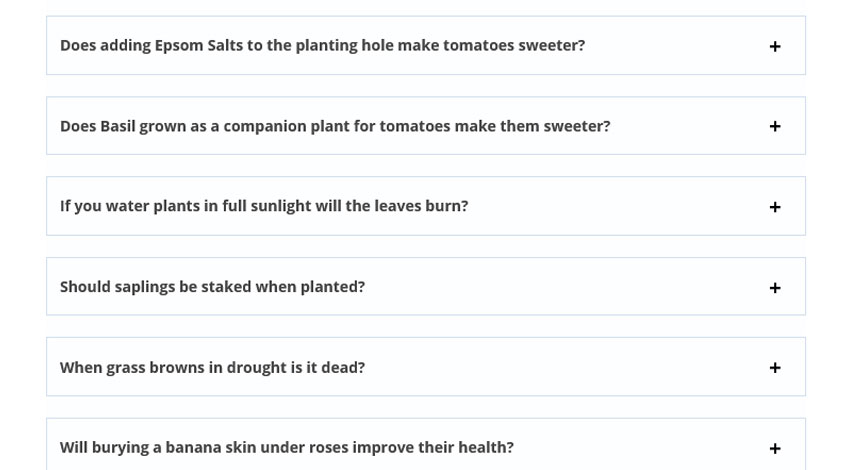
Final Result:
Here’s how it’ll look and function if you followed along correctly:
Can you turn the Yoast FAQ Schema block into an accordion?
Yep, just follow the steps outlined on this page and you’ll have a jQuery FAQ accordion with Schema markup on your website in no time!
Does FAQ Schema help SEO?
Having FAQ Schema doesn’t directly improve your rankings, but it often makes your SERP listing 3 times larger than listings without schema FAQ. Having the larger SERP listing will increase your CTR, which will help your website’s SEO.
Can Google still index Yoast’s FAQ block if it’s in an accordion?
Yes. Elements of a web page don’t need to be displayed on the front end for Google to index them. And so hiding content behind an accordion won’t stop it getting indexed (thankfully)!