
A lot of people assume Google works like a mirror. You publish a page, Google sees it and it shows up in search.
But Google does not work that way. It works more like a process with stages, where each stage needs to happen before the next one matters.
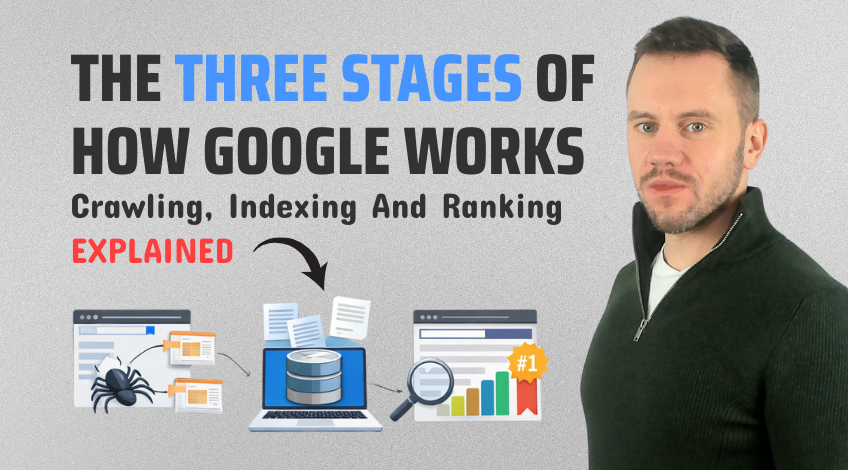
Those stages are crawling, indexing and ranking. Once you know which stage your page is stuck at, you stop guessing and start fixing the right thing.
Stage 1: Crawling (Getting Discovered In The First Place)
Crawling is how Google finds your website pages. Google uses crawlers that move through the web by following paths.
Those paths usually come from links but they can also come from files on your website that point Google in the right direction.
Before Google crawls much at all, it checks your robots.txt file. This file lives in the root directory of your website and it tells search engines what they are allowed to access and what they should stay away from.
When robots.txt is done properly, it keeps crawlers out of places that do not need to be indexed, like admin areas or test folders.
But if it is set up incorrectly, one rule can block important sections of your site and in the worst case, stop the entire site from being crawled.
This is where an XML sitemap becomes really useful. An XML sitemap is a file hosted on your website that gives search engines a structured list of your pages.
It shows where pages are, how they fit together and when they were last updated. Most users never see it because it is made for search engines, not people.
But it can be one of the simplest ways to improve how easily your pages get discovered.
Stage 2: Indexing (Getting Stored In Google’s Library)
Crawling does not guarantee indexing. In fact, Google can find your page and still decide not to store it.
Indexing is where Google decides whether your page should be kept in its system and made eligible to appear in search results.
Think of Google’s index like a massive library. Crawling is Google walking around collecting books. Indexing is Google deciding which books actually get put on the shelves.
During indexing, Google tries to understand what your page is about. It looks at the content and the way your page is put together, then stores that information so it can be used later when someone searches.
This is why an unindexed page is basically invisible.
It can be well written, it can have links pointing to it and it can solve a real problem but if it never enters the index, it cannot appear in search results.
Stage 3: Ranking (Competing For The Front Page)
Ranking is the final stage and it is the one most people focus on too early. Ranking is where Google chooses which indexed pages to show first when someone searches.
This is the stage where your page is competing against other pages for attention.
But here is the key point. Ranking only happens after crawling and indexing. If Google cannot crawl a page, it cannot index it. If it cannot index it, it cannot rank it.
So when a page is missing from Google, it is often not a ranking problem. It is a crawling or indexing issue.
How Sitemaps Support Crawling And Indexing
Sitemaps help search engines discover and manage your pages more efficiently.
They are especially helpful in situations like:
- New pages that do not have links pointing to them yet
- Orphan pages that are hard to reach through internal links
- Websites with lots of pages where Google needs clear direction
A sitemap also includes last updated information. When search engines notice changes in the file, it can encourage them to recrawl those pages and refresh what they have stored.
That means your sitemap is not just a list. It can act as a signal that highlights which pages exist and which ones have changed.
Static vs Dynamic Sitemaps (And Why It Matters)
Not all sitemaps are managed the same way. A static sitemap is updated manually. Every time you add, remove or change a page, you have to edit the sitemap file yourself, then upload it back to the server.
That can be fine for small websites that rarely change but it becomes a headache fast once your site grows.
Static sitemaps can also create problems if you forget to keep them updated because Google may be looking at an outdated list of pages.
A dynamic sitemap updates automatically. It is generated through a plugin or built into your site system, so it changes as your website changes.
If your site runs on WordPress, Shopify, Drupal, Magento or another CMS, there is almost always a way to generate a dynamic sitemap automatically and in most cases it is the best option.
What To Take Away From This
Google cannot rank pages it cannot see.
If your page is missing from search, the fastest way to troubleshoot is to ask one simple question first: Has it been crawled and indexed yet?
Once those two steps are in place, ranking becomes the next challenge.
But until then, your goal is simple. Help Google find and understand your pages. Make it easy for Google to store them in the index.