

Plenty of people only think about Google when they think about search traffic. That is understandable but it is not the full picture.
Bing still drives real visitors and it also powers results in other places that rely on Bing’s index.
Bing Webmaster Tools is basically Bing’s version of Google Search Console. It gives you a place to see how your website is performing in Bing and it helps you make sure Bing can find, crawl and understand your pages.
The good news is you do not need to set it up from scratch. If you already have Google Search Console, you can import your sites in a way that avoids extra validation and pulls key setup details across.
What Bing Webmaster Tools Is
Bing Webmaster Tools is a platform that lets you monitor how your website appears and performs inside Bing’s search engine.
In practical terms, it is similar to Google Search Console. It is where you confirm that you own a website, submit important discovery files like your sitemap and keep an eye on how the search engine is interacting with your site.
How To Access Bing Webmaster Tools
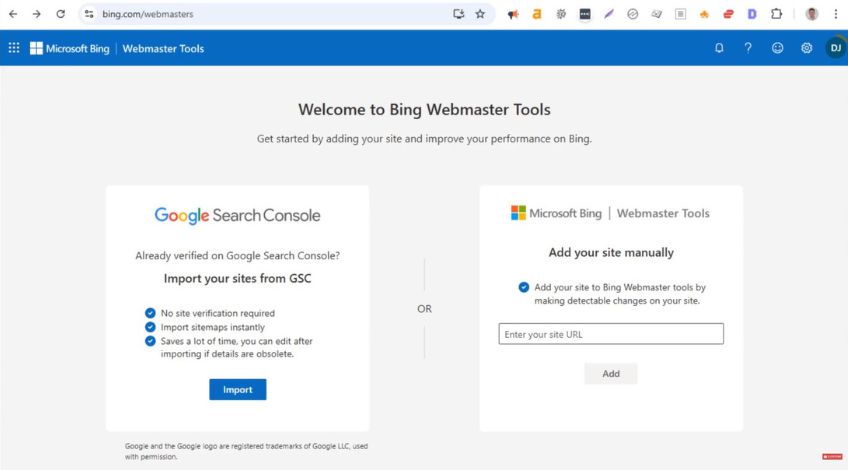
Everything starts on Bing’s platform.
Head over to bing.com/webmasters and you will see an option to bring websites in from Google Search Console.
That import route is the simplest approach because it saves you doing separate verification steps.
Import Your Sites From Google Search Console Step By Step
Once you are on the Bing Webmaster Tools page, the import flow is straightforward.
First, click Import where it mentions importing sites from Google Search Console.
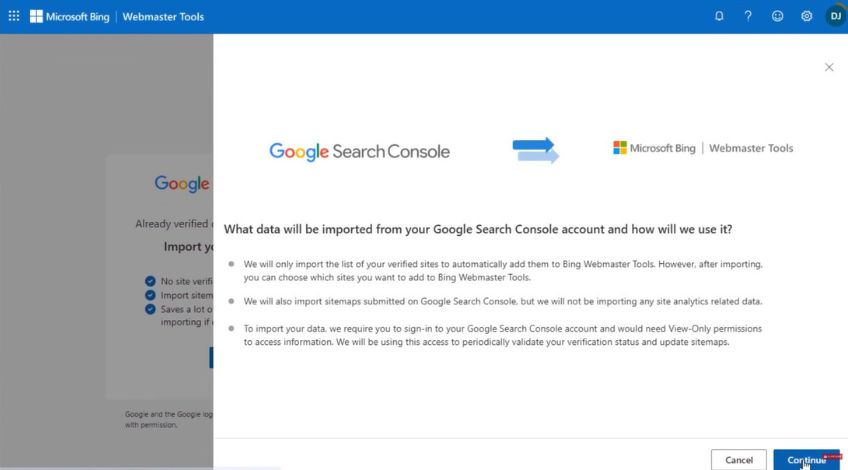
Next, click Continue. You will then be asked to choose a Google account to sign in with.
Pick the same Google account you used when you originally set up Google Search Console. This matters because Bing needs access to the exact Search Console property list tied to that account.
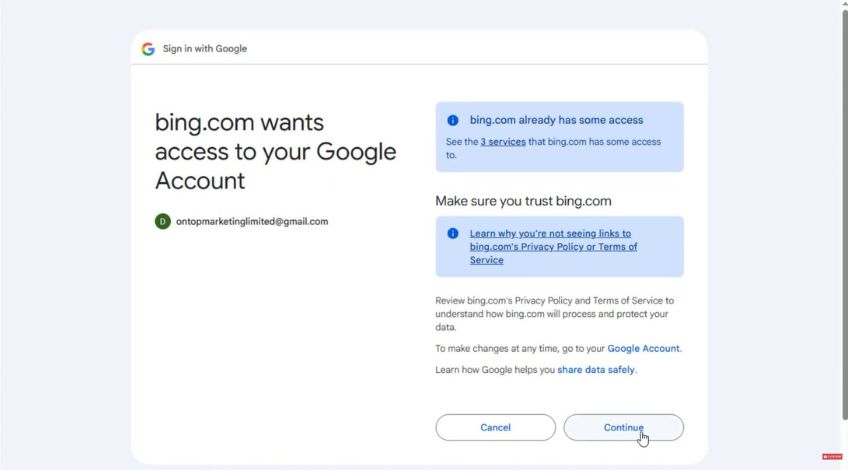
After signing in, you will see a prompt to continue. Click Continue, then Continue again.
Bing will then show a list of the websites that are inside your Google Search Console account. Choose the site you want and click Import.
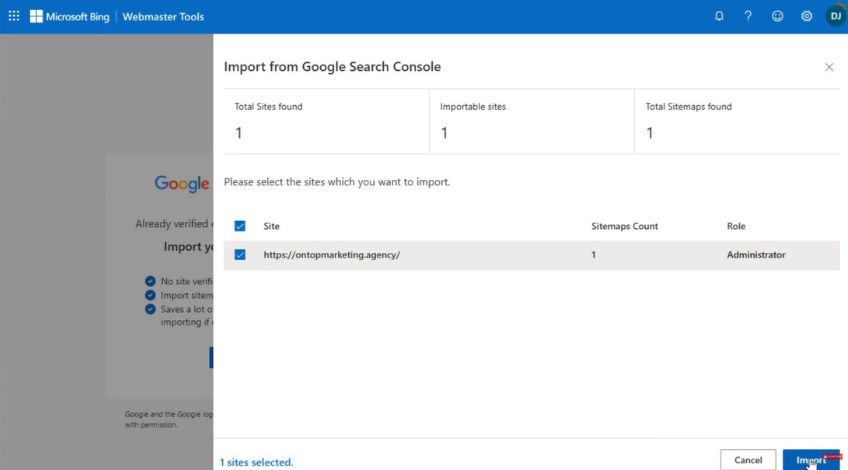
At that point, the site will be brought into Bing Webmaster Tools without you having to do extra verification steps.
Why The Google Account Must Match Your Search Console Setup
Using the same Google account is not a small detail. It is the whole reason the import works smoothly.
If you sign in with a different Google account, Bing may not be able to see the Search Console properties you need, which can stop the import from working properly or lead you to import the wrong site set.
So before you start, it is worth double checking which Google account you used for Search Console, then using that account during the Bing import.
How The Import Pulls Over Your Sitemap Submission
One of the best parts of importing from Google Search Console is what happens with your sitemap.
As long as you have already submitted your sitemap in Google Search Console, Bing can automatically pull that sitemap information into Bing Webmaster Tools during the import.
That saves you having to resubmit the sitemap manually and allows Bing to use the same structured guide to discover your pages.
What Gets Imported Using This Method
Importing from Google Search Console is designed to reduce repeated setup work.
This method brings your site into Bing Webmaster Tools in a way that avoids extra validation and it can carry across important setup details, including your sitemap submission that already exists in Search Console.
That gives you a simpler route to getting Bing ready to crawl your pages, without needing to repeat the full setup process from scratch.
What To Do Next Once The Import Is Done
Once your site is inside Bing Webmaster Tools, the main focus is to make sure Bing can keep discovering your pages properly over time.
If your sitemap is already being pulled in, that is a strong start. It acts as a clear guide for the search engine, especially for pages that are new or not easy to find through links alone.
It also helps with crawling efficiency, since search engines do not have unlimited resources.
From there, keep your sitemap accurate, your internal linking sensible and make sure your technical settings do not block crawling in places you want search engines to access.