It is frustrating when a page is live, looks fine and still does not show up on Google. Most people assume Google will just “find it” but that is not always how it works.
Search engines need clear signals. Internal links are one of the biggest signals but a sitemap is another simple one that helps a lot.
It does not replace good linking but it gives search engines a clean map of what exists on your site and what has changed.
That is why choosing the right sitemap setup matters, especially if you are publishing new pages often.
The File That Lists Your Pages For Google
An XML sitemap is a file that sits on your website and gives search engines a clear, organised list of your pages. It shows them where each page lives and when it was last updated.
Most visitors will never see this file, because it is not meant for people. It is meant for Google, Bing and other search engines that need a reliable way to discover and recheck your content.
It is especially helpful when pages are hard to find through normal links. That includes new pages and orphan pages, which are pages with no links pointing to them yet.
Why Google Likes Having A Sitemap
Search engines do not crawl every page constantly. They have limits and they make decisions about what to crawl first.
A sitemap helps because it improves crawling efficiency. It gives search engines a clearer view of what your site includes, without relying only on internal links to uncover everything.
The sitemap also gives search engines clues about updates. If the sitemap changes and shows a page has been updated, it can encourage Google to recrawl that page and refresh what it holds in its index.
So even though a sitemap will not automatically force pages into the index, it increases the likelihood of discovery and gives your pages a better shot at being crawled properly.
The Real Difference Between Static And Dynamic Sitemaps
The terms sound technical but the difference is actually simple.
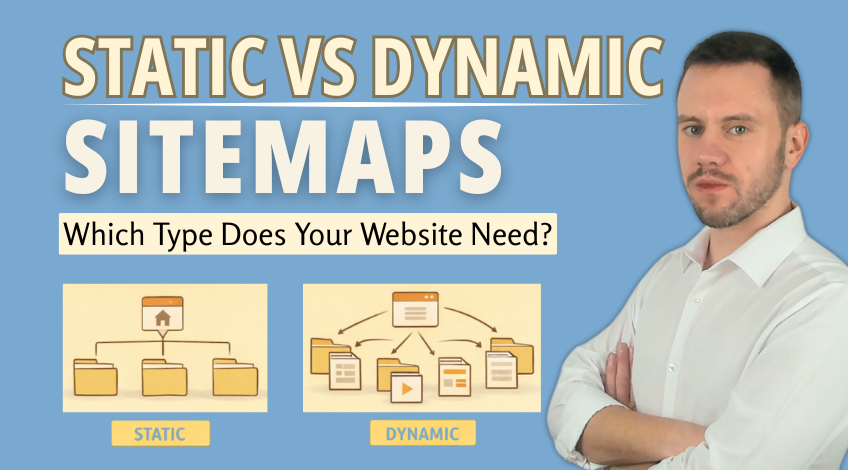
A static sitemap is a file you manually maintain. A dynamic sitemap updates itself automatically.
That one detail affects how reliable your SEO foundations are over time.
Static Sitemaps: The “Manual Mode” Option
A static sitemap needs you to update it every time your website changes. Add a page, remove a page, update a page, change a URL and the sitemap should be edited and uploaded again.
If it is forgotten, the sitemap becomes outdated very quickly.
That is why static sitemaps can become time consuming, especially on bigger websites. They can also create indexation issues when the file no longer reflects what is actually on the site.
Still, there are cases where static sitemaps make sense. If your website is small and rarely changes, keeping a static file updated is manageable.
It can also work if you are only using it for a specific part of the site where automation is not practical.
Dynamic Sitemaps: The “Set It And Forget It” Option
A dynamic sitemap is generated automatically by a plug in or built into your website system.
When you add a new page, it appears in the sitemap. When you delete one, it disappears. When you update content, the sitemap updates the “last modified” information too.
This is why dynamic sitemaps are usually the best choice for websites that change often. They prevent the most common problem with static sitemaps, which is forgetting to keep the file updated.
If your website runs on a CMS like WordPress, Shopify, Drupal or Magento, there is almost always a simple way to generate a dynamic sitemap. In most cases, this is the option that causes the fewest problems over time.
So Which Sitemap Type Should You Use?
If your site rarely changes, a static sitemap can work, as long as you actually keep it updated.
If your site is updated regularly or it runs on a CMS, a dynamic sitemap is the safer choice. It stays accurate without extra work and it helps search engines keep up with your site as it grows.
Most business websites fall into the second category, even if they feel “small” because new service pages, blog posts and landing pages add up quickly.
One Step People Miss After Creating A Sitemap
Creating a sitemap is only half the job. Search engines still need to be told where it is.
In Google Search Console, you can submit your sitemap by going to the Sitemaps section and adding the part of the URL that comes after the forward slash, like sitemap_index.xml, then submitting it.
You can also add your sitemap to your robots.txt file. Search engines check robots.txt before they crawl anything else, so placing your sitemap there makes it easier for them to discover the file straight away.
It also helps smaller search engines that might not use Search Console style tools.
The Sitemap Page Visitors Can Actually Use
An XML sitemap is built for search engines while an HTML sitemap is built for real people.
An HTML sitemap is a normal page on your website that visitors can click through. It usually sits in the footer and lists your main pages in one place, so users can find what they need without hunting around.
Search engines benefit from it too. Because it is made up of internal links, it helps crawlers move through your site more easily and understand how your pages connect.
That can be handy for pages that are a bit buried or sections that are not linked as clearly as they should be.
It is not a case of choosing one over the other. XML sitemaps guide search engines behind the scenes, while HTML sitemaps support navigation and strengthen your internal linking in a more visible way.
Having both simply makes your site easier to understand for everyone.
Your Quick Action Plan From Here
If you want the most reliable setup, go with a dynamic sitemap. It stays correct as your site changes, without you having to babysit it.
Static sitemaps can still work but only when the site is small and changes are rare. The moment pages start getting added often, manual updates become easy to miss and that is when discovery and indexing problems start creeping in.
A sitemap is not a magic button but it is one of the simplest ways to help search engines understand your site more clearly. That support alone can make a noticeable difference as your site grows.